Contact Form 7 Spam: 7 Proven Fixes That Work
In short:
- Contact Form 7 spam usually comes from bots that find the form’s standard markup and submit it directly. Contact Form 7 has no spam protection switched on by default.
- Its built-in options are Akismet, Google reCAPTCHA v3, a quiz field and WordPress’s disallowed words list. A honeypot needs an add-on.
- Stack them in this order: honeypot add-on, Akismet, disallowed words, then reCAPTCHA v3 if spam still gets through.
- Contact Form 7 does not save messages, so you cannot review what was blocked. Flamingo, a free companion plugin, stores them.
- If you are tired of adding plugins, a form builder with layered spam protection built in, and an importer for your Contact Form 7 forms, solves it in one step.
Contact Form 7 spam is one of the most common complaints about WordPress’s most popular form plugin. The form works perfectly, and that is part of the problem: it works for bots too.
This guide explains why Contact Form 7 spam happens, the seven fixes that work, what each one costs your real visitors, and when it makes more sense to switch to a form plugin with protection built in. Every fix here is free.
Why Contact Form 7 spam happens
Contact Form 7 is installed on millions of sites, and its forms share the same markup and the same way of sending. That makes them easy for bots to recognise and submit automatically, without ever loading your page the way a person would.
Out of the box, Contact Form 7 does not add any spam check to your forms. Its protection comes from integrations you switch on yourself. Until you do, every bot that finds your form can send it, and every submission becomes an email in your inbox.
| Protection | Built into Contact Form 7? | Cost to real visitors |
|---|---|---|
| Honeypot | No, needs an add-on | None |
| Akismet | Yes, as an integration | None, but content is sent to Akismet |
| Disallowed words list | Yes, uses WordPress’s list | None if the list is careful |
| Quiz field | Yes | A question to answer |
| reCAPTCHA v3 | Yes, as an integration | A Google script on your pages |
| Saved messages to review | No, needs Flamingo | None |
What Contact Form 7 spam looks like
Knowing which kind of Contact Form 7 spam you receive tells you which fix to start with. Most sites see a mix of these:
- Link drops: random text with several links, often in the name field as well as the message. Classic bot output; a honeypot stops most of it.
- SEO and design pitches: polite, well-written offers to “rank you on page one”. Usually typed or pasted by people, so honeypots miss them. Akismet and the disallowed list help.
- Foreign-language messages: text in a script your business does not use, sent in bulk. Akismet catches many.
- Empty or gibberish submissions: fields filled with random letters. Often a bot testing whether the form works.
- Floods: the same message dozens of times in an hour. A sign that one source is hammering the form.
Look at a week of Contact Form 7 spam before you change anything. If most of it is link drops, start with the honeypot. If most of it is polite pitches, Akismet will do more.
Fix 1: Add a honeypot field
A honeypot is a hidden field that people cannot see but bots fill in. Any submission with it filled is spam. It stops a large share of Contact Form 7 spam at no cost to visitors.
Contact Form 7 does not include one, but free add-ons such as Honeypot for Contact Form 7 add a honeypot tag you place in your form. After installing it, add the tag to every form, not just the contact page, because bots find all of them.
Fix 2: Turn on Akismet
Contact Form 7 can pass submissions to Akismet, the spam service from the team behind WordPress.com, which compares them with spam seen across millions of sites. You need the Akismet plugin active with a key, then you mark which fields Akismet should check by adding options to your form tags, such as akismet:author on the name field and akismet:author_email on the email field.
Akismet is very good at the human-typed Contact Form 7 spam that honeypots miss, such as SEO pitches. Remember that it sends message content to Akismet’s servers, so mention it in your privacy policy.
Fix 3: Use the disallowed words list
Contact Form 7 checks submissions against WordPress’s own Disallowed Comment Keys list under Settings → Discussion. Any submission containing a word or phrase from that list is treated as spam.
Add phrases that appear in the Contact Form 7 spam you actually receive, such as specific SEO offers or crypto terms. Be careful: this list also applies to comments, and a common word can block real people. Add whole phrases rather than single short words.
Fix 4: Add reCAPTCHA v3, carefully
Contact Form 7 integrates with Google reCAPTCHA v3, which scores each visitor invisibly rather than showing a puzzle. You create keys in Google’s reCAPTCHA admin, then paste them under Contact → Integration.
It works, but know the trade-offs. The reCAPTCHA script from Google loads on your pages, which affects privacy notices and page speed, and a real visitor with an unusual browser setup can occasionally be scored as a bot and blocked. Add it when the free layers above are not enough, not as the first step. The Contact Form 7 documentation explains the setup in detail.
Fix 5: Use a quiz field as a last resort
The quiz tag asks a simple question, such as “What is 2 + 3?”, and rejects wrong answers. It stops basic bots, but every visitor has to answer it, and it is a small barrier for people using screen readers or translation tools. Use it only on forms that attract heavy Contact Form 7 spam despite the other fixes.
Fix 6: Save messages with Flamingo
Contact Form 7 does not store submissions. It only emails them. That creates two problems: if an email fails, the message is gone, and you cannot see what your spam filters blocked, including any real people caught by mistake.
Flamingo, a free plugin by the author of Contact Form 7, saves each submission in WordPress, with spam kept separately. Install it, and check the spam list weekly for the first month after you change your settings.
Fix 7: Switch to a form with protection built in
After the six fixes above, a typical Contact Form 7 setup has four or five plugins: Contact Form 7, a honeypot add-on, Akismet, Flamingo, and perhaps an SMTP plugin. Each needs updates, and each is one more place for something to break.
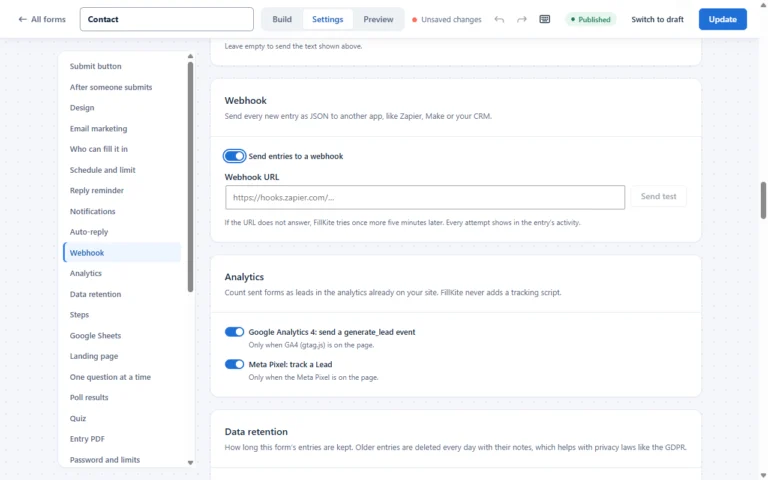
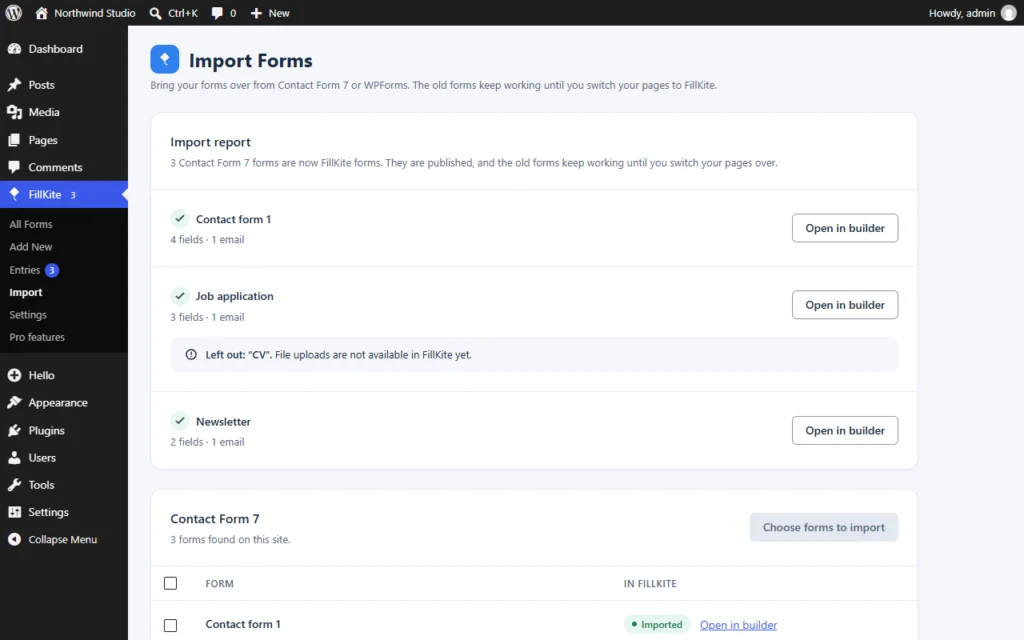
The alternative is a form builder that includes these layers. FillKite puts a hidden honeypot and a time check on every form automatically, adds a local spam score that runs on your own server, a rate limit, a duplicate flag, temporary email blocking, optional Akismet and an optional captcha, and saves every entry in an inbox with its own Spam tab. You can import Contact Form 7 forms into it in one go, so you do not rebuild anything by hand.
Stop it before it reaches WordPress
Some Contact Form 7 spam can be stopped before it ever reaches your site. If your domain uses Cloudflare, its bot protection and firewall rules can challenge or block suspicious traffic to your contact page. Many hosts also offer their own bot filtering.
Use these carefully. Aggressive bot rules can block real visitors on unusual networks, and they can also block search engines if set too broadly. Treat server-level rules as an extra layer for heavy attacks, not a replacement for form-level protection.
Why Contact Form 7 spam suddenly gets worse
Many site owners notice spam jumping from a few messages a week to dozens a day, with no change on their side. Usually one of these has happened:
- your site started ranking for new searches, so more bots and spammers find it;
- your form’s address was added to a list that spammers share and sell;
- an old protection plugin stopped working after an update.
The fix is the same in each case: layer the protections in this guide, and check your Flamingo spam list to confirm they are working.
How to test your protection
After you add protection, prove it works for real people as well as against bots. Send a test message from your phone on mobile data, and another from a desktop browser with privacy extensions turned on. Both should arrive. If either is blocked, your settings are too strict for some of your visitors.
Then watch Flamingo for a week. The spam list should grow while your inbox shrinks. If Contact Form 7 spam still reaches the inbox at the same rate, the layer you added is not the one that matches your spam, so look again at what the messages have in common.
A warning about auto-replies
Contact Form 7’s Mail (2) can send an automatic reply to whoever fills in the form. That is useful for real enquiries, but it also means a bot can type a stranger’s address into your form and make your site email them. If your spam protection is weak, your server ends up sending unwanted mail, which harms your domain’s reputation.
Keep auto-replies short, never include the visitor’s message in them, and make sure spam protection is in place before you turn Mail (2) on. It is one more reason to stop Contact Form 7 spam early rather than living with it.
In which order should you apply the fixes?
- Install Flamingo first, so you can see what arrives and what is blocked.
- Add a honeypot to every form.
- Turn on Akismet and tag the name, email and message fields.
- Add a few phrases from real spam to the disallowed list.
- Wait a week. If Contact Form 7 spam still gets through, add reCAPTCHA v3.
- Use a quiz only for forms that are still flooded.
Keep a short note of each change and the date you made it. When you look back at a month of Flamingo data, you can then see which layer actually reduced Contact Form 7 spam, and remove any that did nothing.
This order puts the free, invisible layers first and the ones that affect visitors last, which is the same principle as our general guide to WordPress form spam.
Where Contact Form 7 spam fixes go wrong
| Mistake | What happens | Do this instead |
|---|---|---|
| reCAPTCHA as the only protection | Some bots still pass, and real visitors carry the cost | Honeypot and Akismet first |
| Akismet on, but fields not tagged | Akismet has little to check | Add the akismet: options to fields |
| Short words in the disallowed list | Real messages and comments are blocked | Use whole phrases |
| Honeypot on one form only | Bots use your other forms | Add it to every form |
| No Flamingo | Blocked real messages are never seen | Save and review submissions |
| Replying to spam | Confirms your address is active | Never reply or click links |
Keep Contact Form 7, or switch?
Contact Form 7 is a solid plugin, and many sites should keep it. The decision comes down to how much you want to manage yourself:
| Keep Contact Form 7 if… | Consider switching if… |
|---|---|
| A developer maintains the site and is happy editing tags | The people running the site are not developers |
| You have one simple form and little Contact Form 7 spam | Spam keeps getting through despite several add-ons |
| You rely on a Contact Form 7 add-on with no equivalent | You want entries saved and a place to follow up leads |
| You already run Flamingo, SMTP and a honeypot happily | You would rather have one plugin than five |
There is no wrong answer. If you switch, do it in order: import, check, switch pages, test, then remove the old plugin. Our guide to how to import Contact Form 7 forms walks through each step.
Spam emails vs spam submissions
Not every spam email you receive comes through your form. If you see spam that does not look like a form notification, it probably came straight to your published email address. Check the headers: form notifications come from your own site, with the subject your form uses. The fixes in this guide only address Contact Form 7 spam that arrives through the form itself.
The reverse problem happens too: legitimate form notifications landing in your spam folder. That is an email delivery issue, not a form issue, and our guide to fixing a form not sending email covers it.

A quick checklist
- Flamingo is installed, so every submission, including spam, is saved.
- Every form has a honeypot tag.
- Akismet is active, and the name, email and message fields are tagged for it.
- The disallowed list holds a few whole phrases from real spam.
- reCAPTCHA v3 is added only if spam still gets through after a week.
- Auto-replies stay off until spam protection is in place.
- You test with a real message from a phone after every change.
Work through the list once, and most Contact Form 7 spam stops within days. Keep checking the saved spam for the first month, then once a month after that, so a change in the spam you receive never takes you by surprise again.
Frequently asked questions
Why is my Contact Form 7 getting so much spam?
Because Contact Form 7 adds no spam check by default, and bots recognise its forms easily. Once a bot finds your form, the volume grows fast until you add protection.
Does Contact Form 7 have a honeypot?
Not built in. Free add-ons such as Honeypot for Contact Form 7 add one. Form builders such as FillKite include a honeypot on every form automatically.
Is reCAPTCHA v3 enough to stop Contact Form 7 spam?
It stops a lot of automated spam, but not human-typed pitches, and it adds a Google script to your pages. It works best combined with a honeypot and Akismet.
Can I see which messages were blocked as spam?
Not with Contact Form 7 alone, because it does not save messages. Install Flamingo to store them, including spam, or use a form plugin that keeps an inbox with a Spam tab.
How long before the fixes work?
A honeypot and Akismet work from the next submission. Give it a week to judge the result, because Contact Form 7 spam comes in waves and one quiet day proves little.
Should I block spam by IP address?
Rarely worth it. Spammers change addresses constantly, and a blocked range can include real customers. Content-based checks such as Akismet are more reliable.
Does Contact Form 7 spam hurt my SEO?
Not directly. Spam submissions go to your inbox, not onto your pages. The risk is indirect: time wasted, real leads buried, and, if your form sends auto-replies, your server being used to send email to strangers.
Will switching plugins break my pages?
Not if you do it in order. FillKite imports your Contact Form 7 forms and keeps the old ones working until you switch each page, and every page it changes keeps a revision you can restore.
Tired of stacking plugins against Contact Form 7 spam? FillKite includes a honeypot, time check, local spam score and rate limit on every form, and imports your Contact Form 7 forms in one go. Read the spam protection guide, compare with Contact Form 7, or install FillKite free from WordPress.org.