Gravity Forms alternative
The Gravity Forms alternative with a free plan.
Gravity Forms has no free plan, and webhooks, partial entries and Google Analytics sit on its Elite licence. FillKite is free to start, with webhooks, lead tracking and an entries inbox, and Pro costs less when you need more.
Last checked: 26 September 2026
Why people switch
Why look for a Gravity Forms alternative?
Most people looking for a Gravity Forms alternative are not unhappy with the forms themselves. They hit one of three walls: a yearly licence for every site, features held back for the Elite plan, or add-ons for things that feel basic today, such as webhooks, Google Analytics events or an SMTP sender.
A Gravity Forms alternative only makes sense if it covers the forms you already run. So this page sticks to facts you can check: what FillKite does for free, what needs Pro, what it costs next to Gravity Forms, how long a move takes, and the cases where staying on Gravity Forms is the better call.
Want to compare more than one option? Our roundup of the 8 best Gravity Forms alternatives covers free plans and yearly prices for each.
Why switch
What you get with FillKite
Start free
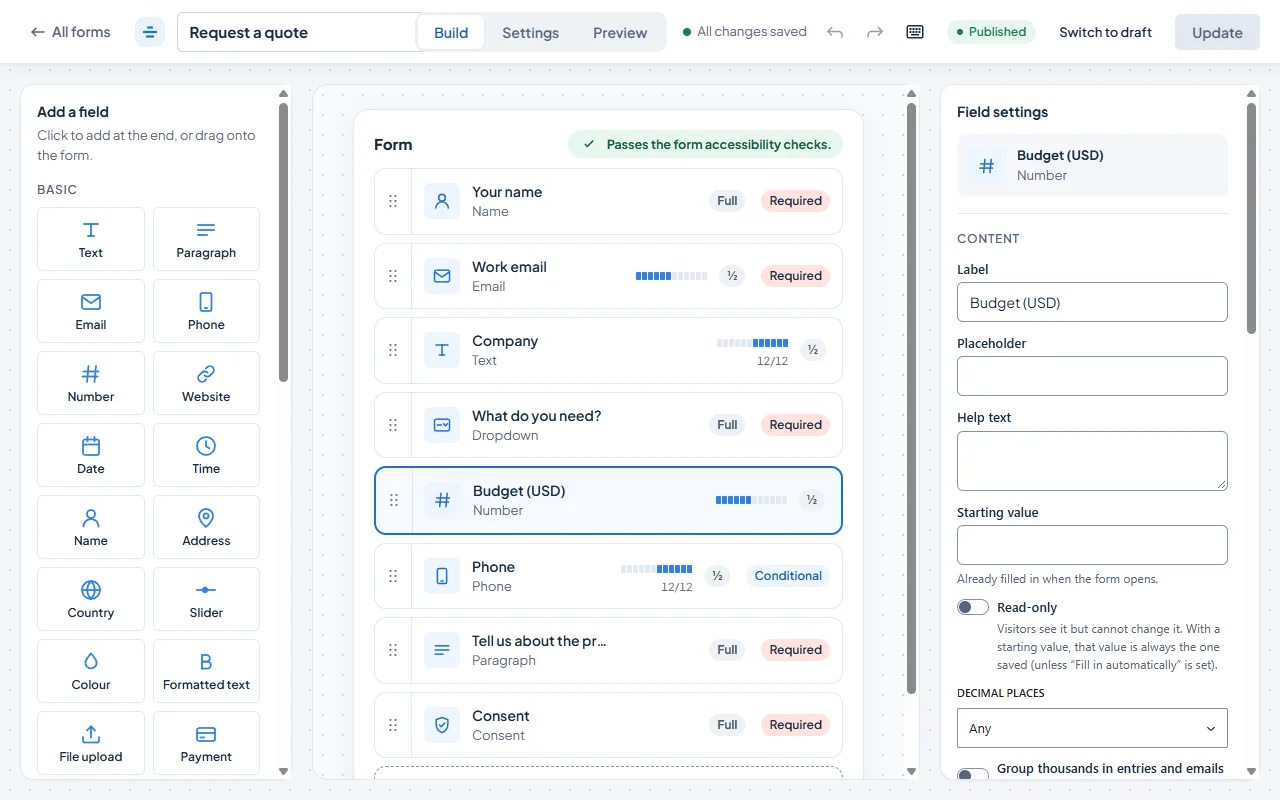
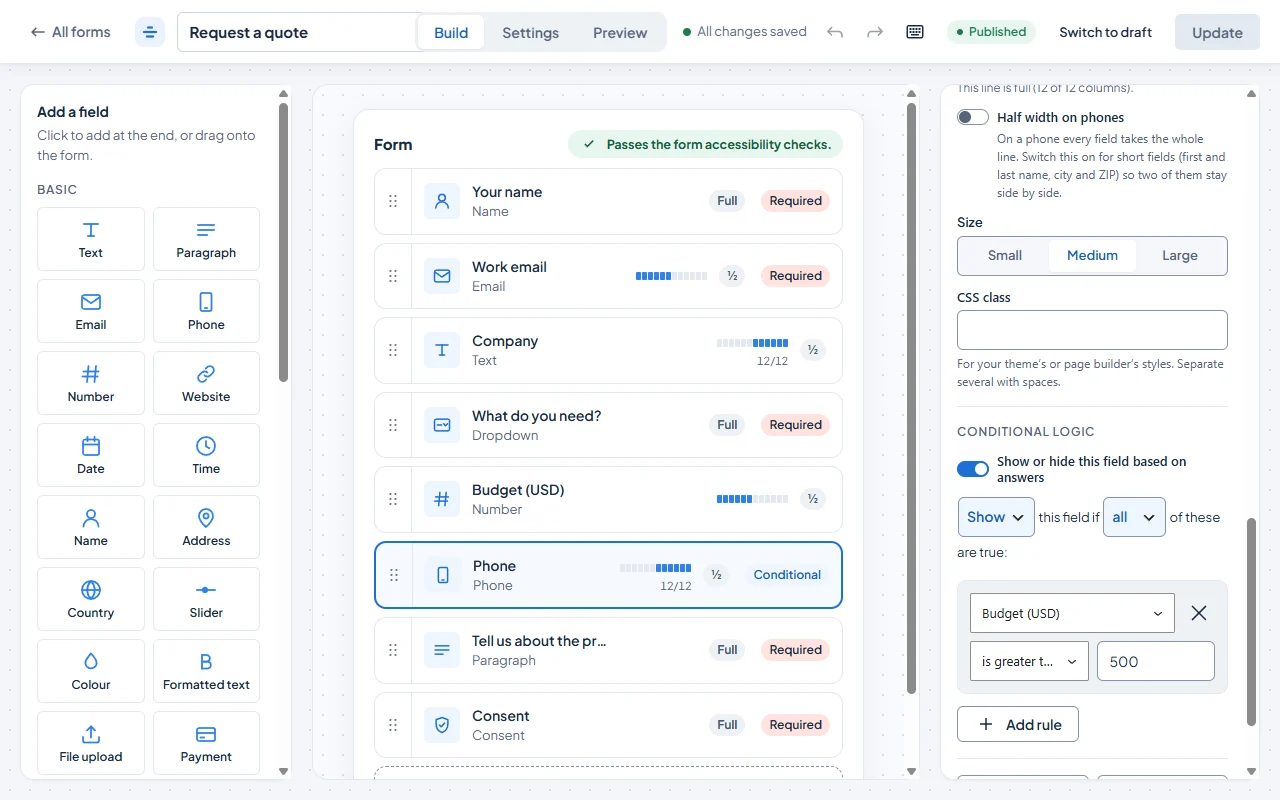
Gravity Forms starts at $59 a year for one site. FillKite’s free plugin has conditional logic, an entries inbox, webhooks and spam protection, with no time limit.
Webhooks and tracking included
On Gravity Forms, webhooks and Google Analytics are Elite add-ons. In free FillKite they are built in, with UTM capture and Meta Pixel events.
Leads followed up
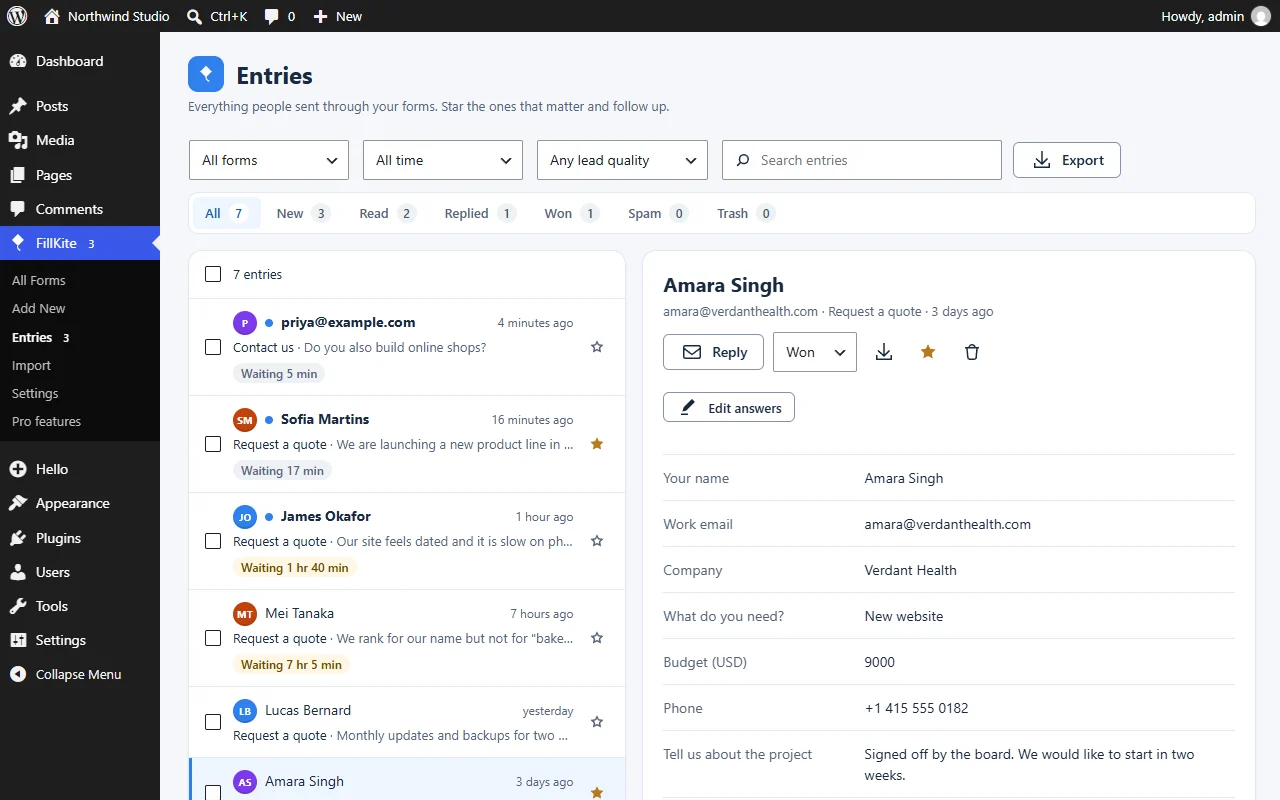
A reply timer on every entry, reminders when a lead waits, a lead quality badge and automatic retries for failed emails.
Unlimited sites for less
FillKite Pro Agency covers unlimited sites for $199 a year; Gravity Forms Elite is $259.
Screenshots
See FillKite before you switch
Real screens from the plugin, not mock-ups.
Switching
Moving from Gravity Forms
- 1
Rebuild the form
FillKite does not import Gravity Forms forms. Start from one of 5 built-in templates or 212 demo forms, with 29 field types; most forms take a few minutes.
- 2
Bring your entries
Export your entries from Gravity Forms as a CSV file, then use FillKite → Import → Entries from a CSV file and match the columns to your fields.
- 3
Swap the shortcode
Put the FillKite block, Elementor widget or shortcode where the old form was.
- 4
Set up your emails again
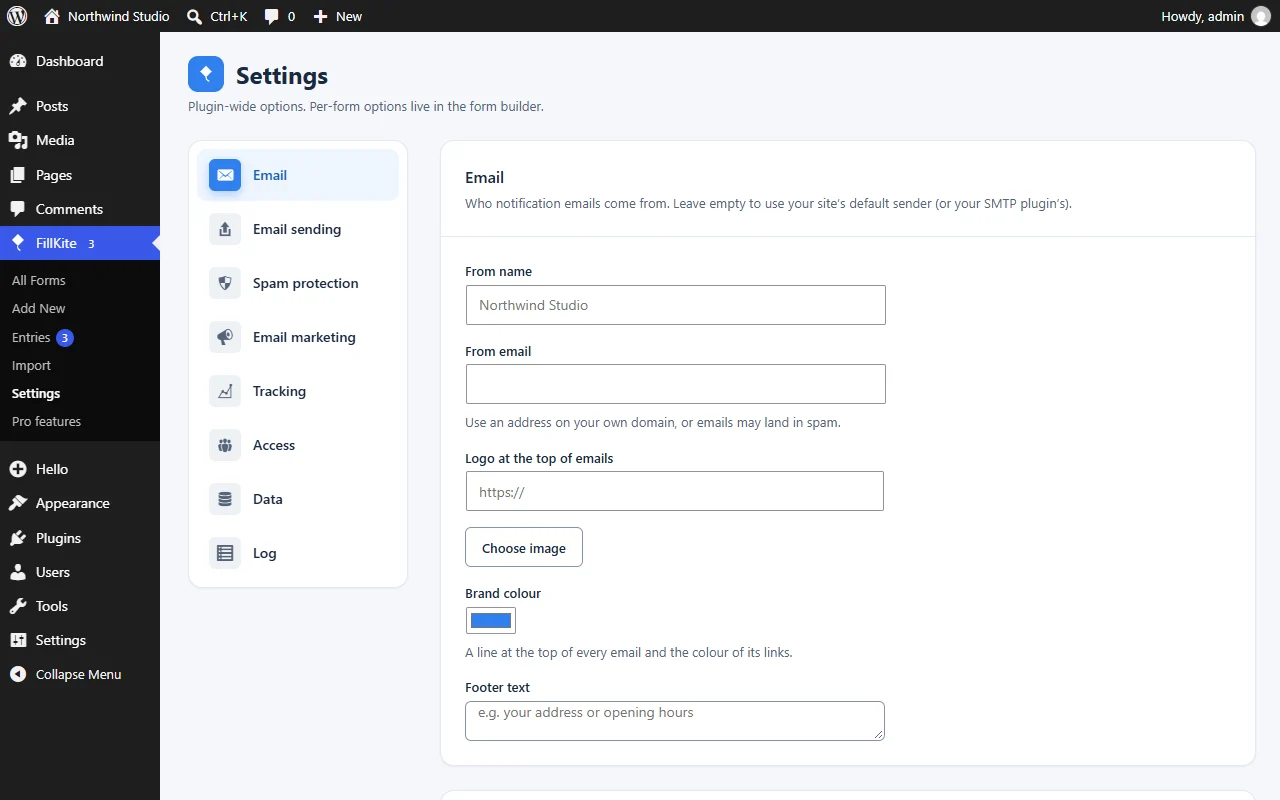
Add notifications and auto-replies in each form’s Settings tab. Merge tags fill in names and answers, and FillKite’s own SMTP sender can send them from your domain.
- 5
Test, then switch off Gravity Forms
Send a test entry through each form and check the email arrives. Then deactivate Gravity Forms, and keep its CSV export until you are sure every entry came across.
Side by side
FillKite and Gravity Forms, feature by feature
| Feature | FillKiteFree | Gravity FormsNo free plan; paid plans shown |
|---|---|---|
| Drag & drop builder | Yes | Yes |
| Form templates | Yes5 built in, plus 212 demo forms | Yes |
| Multi-step forms | Pro | Yes |
| File uploads | Pro | Yes |
| Conditional logic | YesWritten as sentences | Yes |
| Calculations | Pro | Yes |
| Different thank-you by answer | Yes | Yes |
| Schedule and entry limit | Yes | Yes |
| Logged-in users only | Yes | Yes |
| Prefill fields from the page address | Yes | Yes |
| Popup forms | Yes | No |
| Conversational forms | Pro | Elite add-on |
| Quizzes | Pro | Elite add-on |
| Entries saved in WordPress | Yes | Yes |
| Entry statuses | YesNew, Read, Replied, Won, Spam | YesRead, starred |
| Notes on entries | Yes | Yes |
| CSV export | Yes | Yes |
| Auto-delete old entries | Yes | Yes |
| Edit an entry’s answers | Yes | Yes |
| Download an entry as PDF | Yes | NoThird-party plugin |
| Excel export | Yes | NoCSV only |
| Form views and conversion rate | Yes | Yes |
| Reply timer and reminders | Yes | No |
| Lead quality badge | Yes | No |
| Partial entries | Pro | NoElite add-on |
| Email notifications | Yes | Yes |
| Auto-reply to the sender | Yes | Yes |
| Webhooks | Yes | NoElite add-on |
| Send only when the answers match | Yes | Yes |
| CC and BCC | Yes | YesBCC only |
| Failed emails retried automatically | Yes | NoManual resend |
| Built-in SMTP sender | Yes | NoSeparate plugin |
| Honeypot | Yes | Yes |
| Akismet check | Yes | Add-on |
| Turnstile, hCaptcha or reCAPTCHA | Yes | YesreCAPTCHA and Turnstile add-ons; hCaptcha via third-party add-on |
| Automatic disposable email blocking | Yes | NoThird-party plugin |
| Automatic UTM capture | Yes | NoManual, via hidden fields |
| GA4 and Meta Pixel events | Yes | NoGoogle Analytics add-on on Elite; no Pixel |
| Mailchimp | Yes | Basic add-on |
| Export and import forms | Yes | Yes |
| Elementor widget | Yes | YesFree add-on |
| Gutenberg block | Yes | Yes |
| Import from Contact Form 7 | Yes | No |
| Import from WPForms | Yes | No |
| Stripe payments | ProNo platform fee | NoPro plan add-on |
| PayPal payments | Pro | NoPro plan add-on |
| Google Sheets sync | Pro | NoThird-party add-ons only |
From each plugin’s own pages, docs and code, checked on 26 September 2026. Spotted something out of date? Tell us.
Prices
What it costs each year
FillKite Pro comes with a price lock guarantee: you renew at the price you first paid. Every plan has every Pro feature.
| Plan | Gravity Forms | FillKite Pro |
|---|---|---|
| 1 site | $59 a year | $49 a year |
| Several sites | $159 a year (3 sites) | $99 a year (5 sites) |
| Unlimited sites | $259 a year | $199 a year |
Gravity Forms prices from its own pricing page, 26 September 2026.
Who switches
Who FillKite suits best
Small business sites
One site, a few forms, and no wish to pay $59 a year before the first enquiry arrives.
Agencies with many client sites
Free on every client site, or Pro Agency for unlimited sites at $199 a year, with white-label included.
Teams that chase leads
Reply timers, reminders and lead quality badges keep enquiries from going cold, without a CRM add-on.
Sites that send data elsewhere
Webhooks, UTM capture, and GA4 and Meta Pixel events are in the free plugin, with no Elite licence needed.
When Gravity Forms may suit you better
Gravity Forms is long established, with a big ecosystem of official and third-party add-ons. For complex setups that already depend on those add-ons, staying can make sense.
FAQ
Switching questions
Can FillKite import my Gravity Forms forms?
Not yet. FillKite imports Contact Form 7 and WPForms forms. For Gravity Forms, rebuild the form and bring your entries over as a CSV file.
Does Gravity Forms have a free version?
No. It has paid plans only. FillKite’s free plugin has no time limit and no limits on forms or entries.
Can I run FillKite and Gravity Forms side by side while I switch?
Yes. They are separate plugins with their own shortcodes, so you can move one form at a time and switch Gravity Forms off when the last page is done.
Does FillKite work with Elementor and the block editor?
Yes. There is a FillKite block for the block editor, a free Elementor widget, and a shortcode for everything else.
Can I take payments as I did with Gravity Forms?
Yes, with FillKite Pro: Stripe and PayPal, with no extra platform fee from FillKite. Payments are not part of the free plugin.
How does FillKite stop spam without add-ons?
Every form has a hidden honeypot and a time check built in. You can add a local spam score, Akismet, Cloudflare Turnstile, hCaptcha or reCAPTCHA, a rate limit and automatic blocking of disposable email addresses.
Is FillKite GDPR friendly?
Entries stay in your own WordPress database. Consent boxes keep a sealed receipt of the exact wording and time, IP addresses are stored only as a hash, and old entries can be deleted automatically after a number of days you choose.
What happens to my entries if I stop using FillKite?
They stay yours. Export them to CSV, Excel or JSON at any time, or download entries as PDFs.
Will FillKite slow my site down?
Each FillKite form adds about 11 KB of front-end code to the page it sits on.
Gravity Forms is a trademark of its owner. FillKite is not affiliated with it.
Free on WordPress.org
Try FillKite on your site today.
Install FillKite free from WordPress.org and build your first form in minutes. Moving from Gravity Forms takes minutes.